
FlipFirst documentation
Create an account, set up a watch and review a deal. Start here for the current FlipFirst website and app.
The shortest useful path
Already signed in? Open Deals, choose the relevant watch and select View deal. Read the observation time and price warnings, then check the original listing before relying on it.
New here or already signed up?
New to FlipFirst? Create an account with your email address. There is no password. FlipFirst emails you a sign-in link, and some emails also include a code. Then you can save watches straight away.
Watches search for listings only on an account with a trial or plan. After sign-up, FlipFirst takes you to the plan page; you can also select Choose a plan on Home or in Account. Choose Continue to Stripe Checkout and add a card to start the 14-day free trial. Stripe shows the date of your first charge before you confirm. Starter is then A$39 a month in total unless you cancel before the trial ends: open Account and choose Manage billing.
Already have an account? Sign in. For email-link problems, see sign-in help.
What can I search for?
FlipFirst accepts an item or model in your own words. Search for phones, tablets, computers, gaming gear, clothing, sneakers, bags, trading cards, collectibles, toys, books, vinyl records, bikes, sports equipment, tools, garden equipment, appliances, cameras, musical instruments, furniture or another item.
There is no category picker restricting you to this list. A watch runs once your account has a plan and its source and location are connected. Finding an item and having enough evidence to estimate its resale value are separate steps.
Find your way around
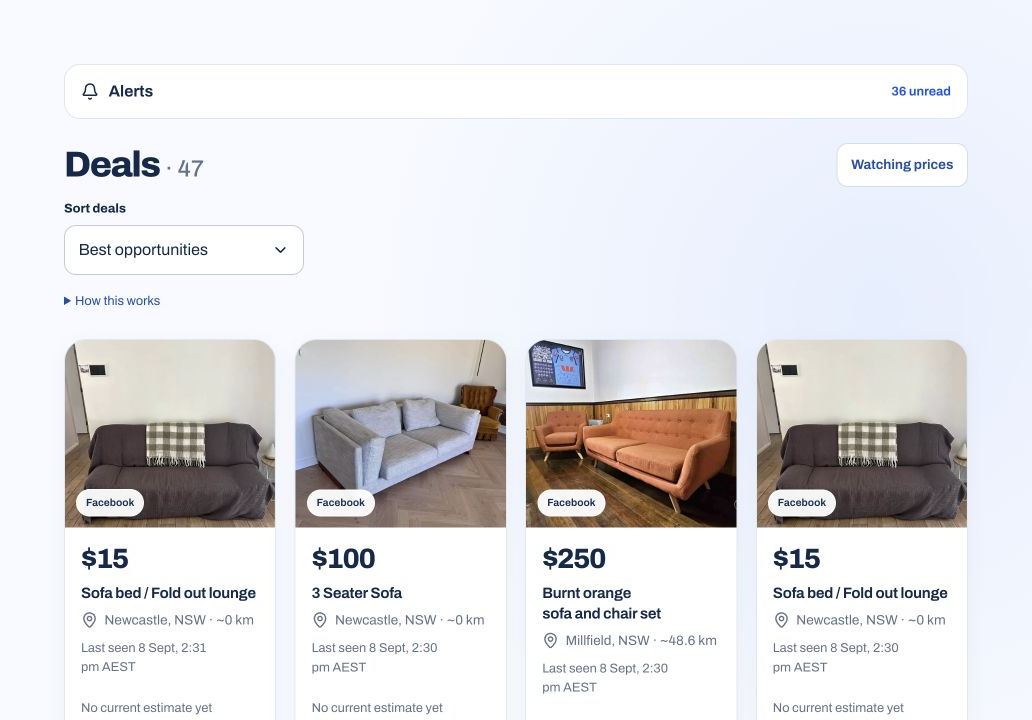
Home highlights saved matches and issues needing attention. Watches holds your saved search rules. Deals filters the stored listing feed. Account contains access and connection settings.
A saved result, an active watch and a delivered alert are different things. An unread-alert count does not prove that an external message arrived. See the screen guide and alert status.
Before you start
Facebook Marketplace watches do not need your Facebook login or a Meta API key. When creating a watch, enter the item, your town and a search radius; keyword filters are optional.
Once your account has a plan, each watch that is on searches for new listings every 6 hours, and each saved price watch is checked every 4 hours. A schedule is not proof of a completed check or a delivered alert, so read the watch’s status and last check. Saved results stay available when checks stop. Read watch statuses and product status.
Checks for your kind of flip
Read the category guides for phones, gaming, clothing, sneakers, collectibles, books, bikes, tools, appliances, cameras, instruments and furniture.