
DocsOpen app ↗

FlipFirst screen guide

See where to find watches, deals, assessments and account settings.

Home

Home highlights stored matches and issues needing attention. Recent matches and Last seen describe saved observations. Search needs attention warns that fresh matches or alerts may be delayed.
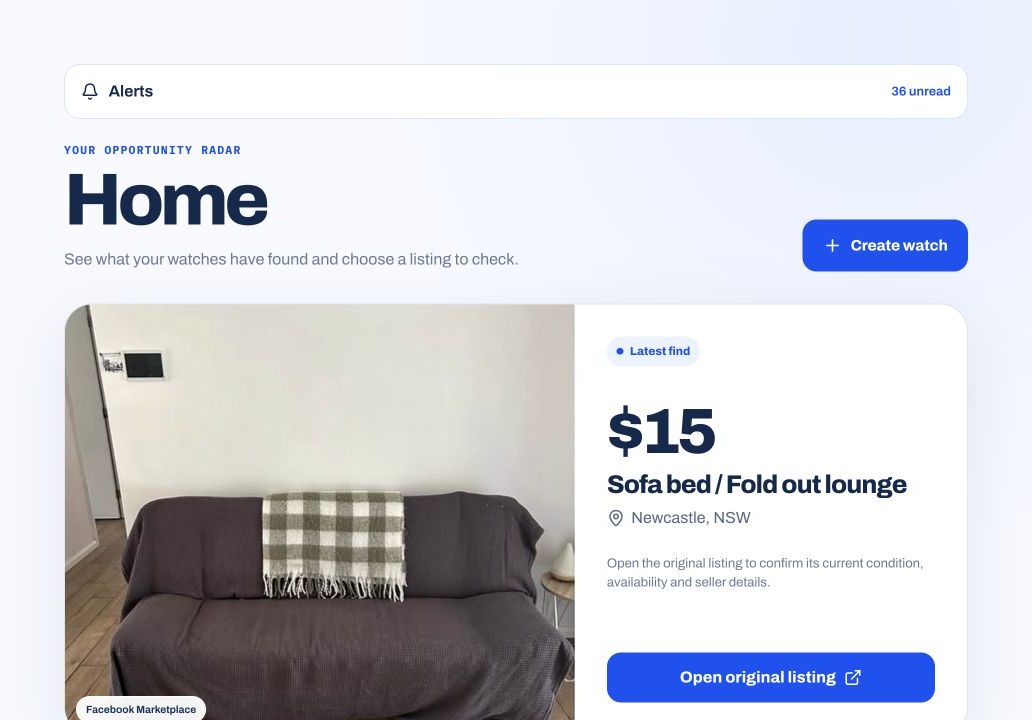
Historical app screenshot, captured 8 September 2026. Labels, counts, prices and availability may differ today; this is not a fresh result or a screenshot of the current walkthrough.
Historical app screenshot, captured 8 September 2026. Labels, counts, prices and availability may differ today; this is not a fresh result or a screenshot of the current walkthrough. Enlarge screenshot ↗

Watches

Read each watch’s status and Last check this run, then open Details for the source result, search window and rules. View deals opens earlier matches; Edit reuses saved criteria.

A count with + covers loaded records, not every stored listing. Unavailable does not mean zero matches. On mobile the same information appears in stacked rows. See watch statuses and older saved results.
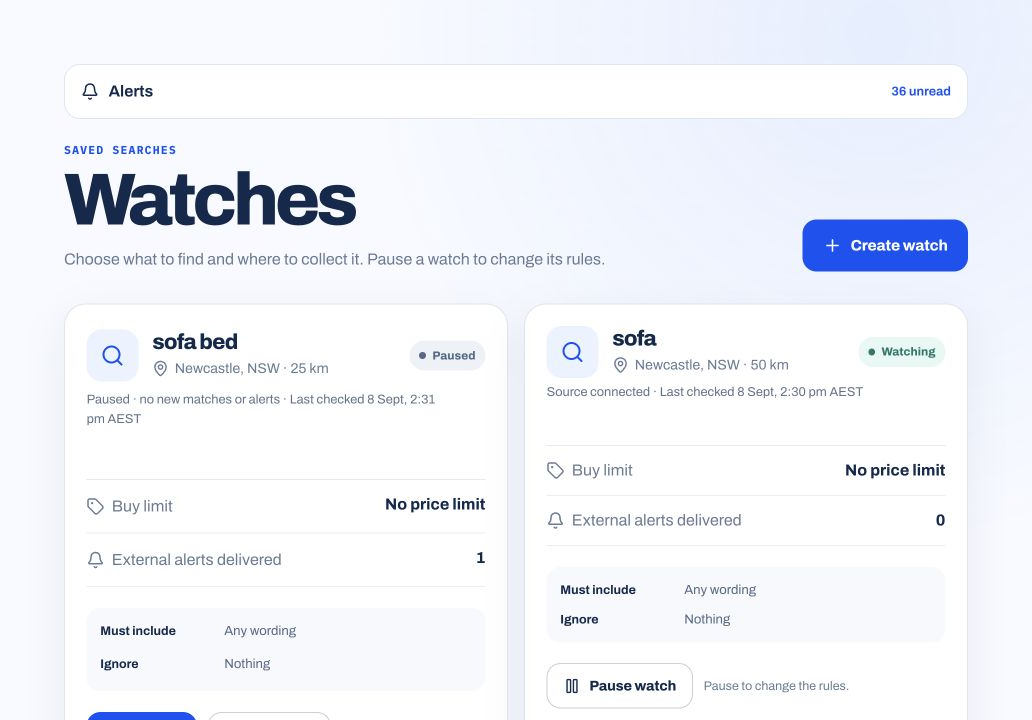
Historical app screenshot, captured 8 September 2026. Labels, counts, prices and availability may differ today; this is not a fresh result or a screenshot of the current walkthrough.
Historical app screenshot, captured 8 September 2026. Labels, counts, prices and availability may differ today; this is not a fresh result or a screenshot of the current walkthrough. Enlarge screenshot ↗

Deals

Filter stored records, choose View deal, then verify the original through View on Facebook. Read the Deals guide.
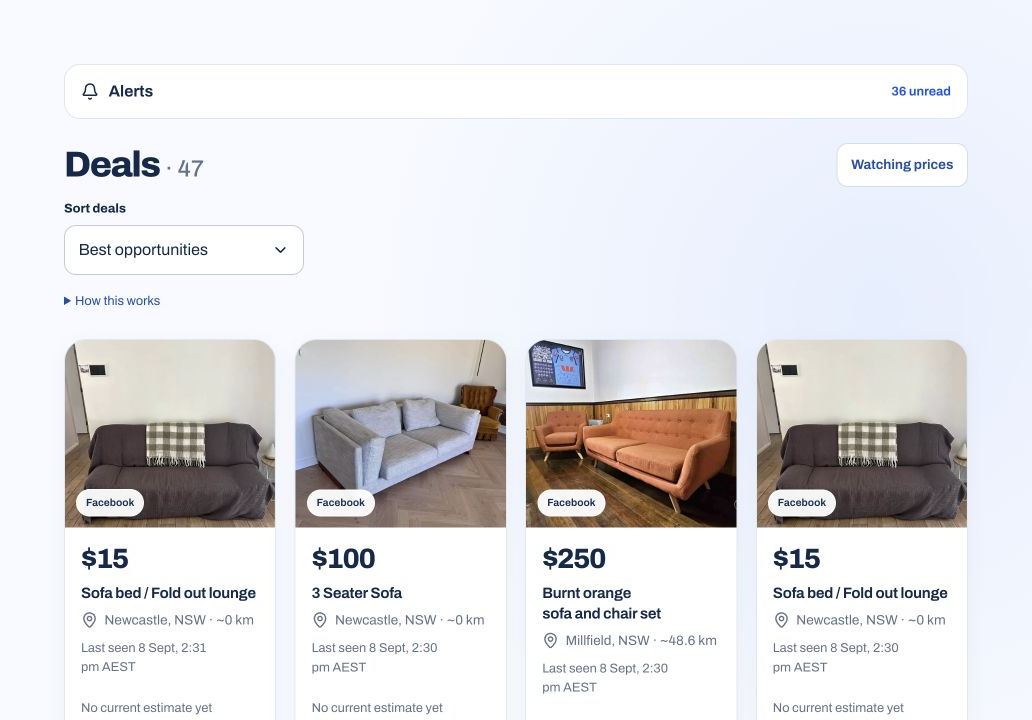
Historical app screenshot, captured 8 September 2026. Labels, counts, prices and availability may differ today; this is not a fresh result or a screenshot of the current walkthrough.
Historical app screenshot, captured 8 September 2026. Labels, counts, prices and availability may differ today; this is not a fresh result or a screenshot of the current walkthrough. Enlarge screenshot ↗

Deal assessment

Read the result or the explanation of missing evidence. Understand the assessment.
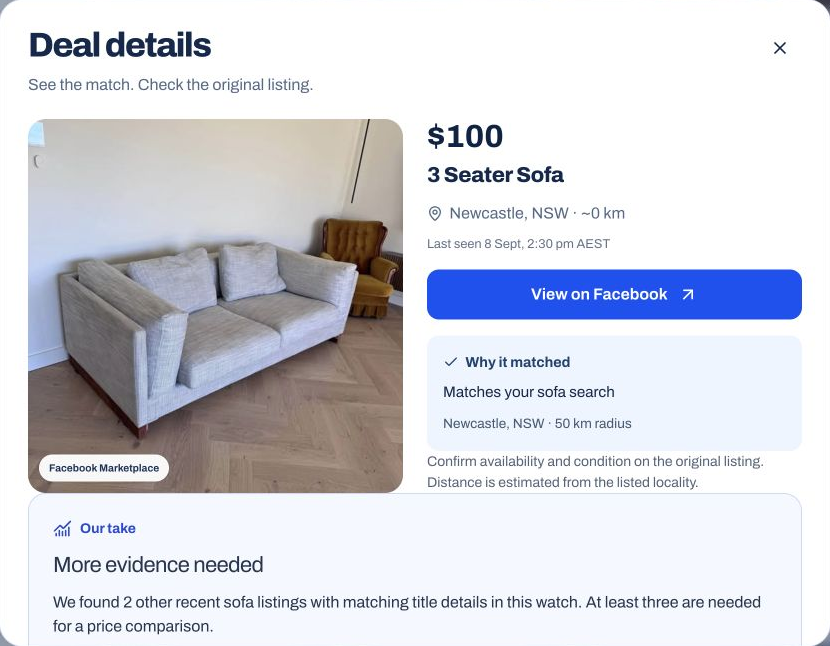
Historical app screenshot, captured 8 September 2026. Labels, counts, prices and availability may differ today; this is not a fresh result or a screenshot of the current walkthrough.
Historical app screenshot, captured 8 September 2026. Labels, counts, prices and availability may differ today; this is not a fresh result or a screenshot of the current walkthrough. Enlarge screenshot ↗

Account

Manage your saved Discord connection. Manage alerts.
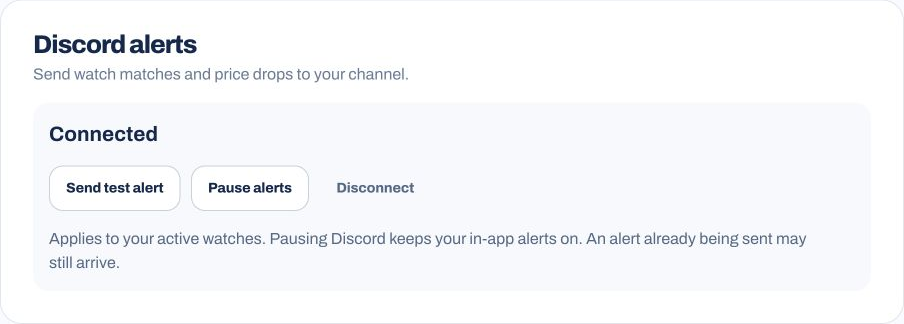
Historical app screenshot, captured 8 September 2026. Labels, counts, prices and availability may differ today; this is not a fresh result or a screenshot of the current walkthrough.
Historical app screenshot, captured 8 September 2026. Labels, counts, prices and availability may differ today; this is not a fresh result or a screenshot of the current walkthrough. Enlarge screenshot ↗

Keyboard and smaller screens

In the signed-in app, use Home, Watches, Deals and Account. Use Tab and Shift+Tab to move through controls, Enter to follow links, and Enter or Space to activate buttons. Dialogs provide a labelled close button; Escape closes the dialog. Closing is not the same as saving.

On a small screen, scroll inside long forms to reach the save action and expand Optional keyword filters only when needed. In these docs, Browse docs opens mobile navigation. Press / outside a text field to focus docs search, then Tab to a result; Escape dismisses results. If search fails, use the navigation.