
Read your Deals feed
Use the feed to find a relevant item, check when it was seen and open its original listing.
Open a listing
Open Deals to see listings found by your watches. Each card shows the item, asking price, locality and observation time. Use the sort control to change the order.
Review deal opens the assessment. View listing opens the original marketplace listing, where you can check current availability and the seller's description.
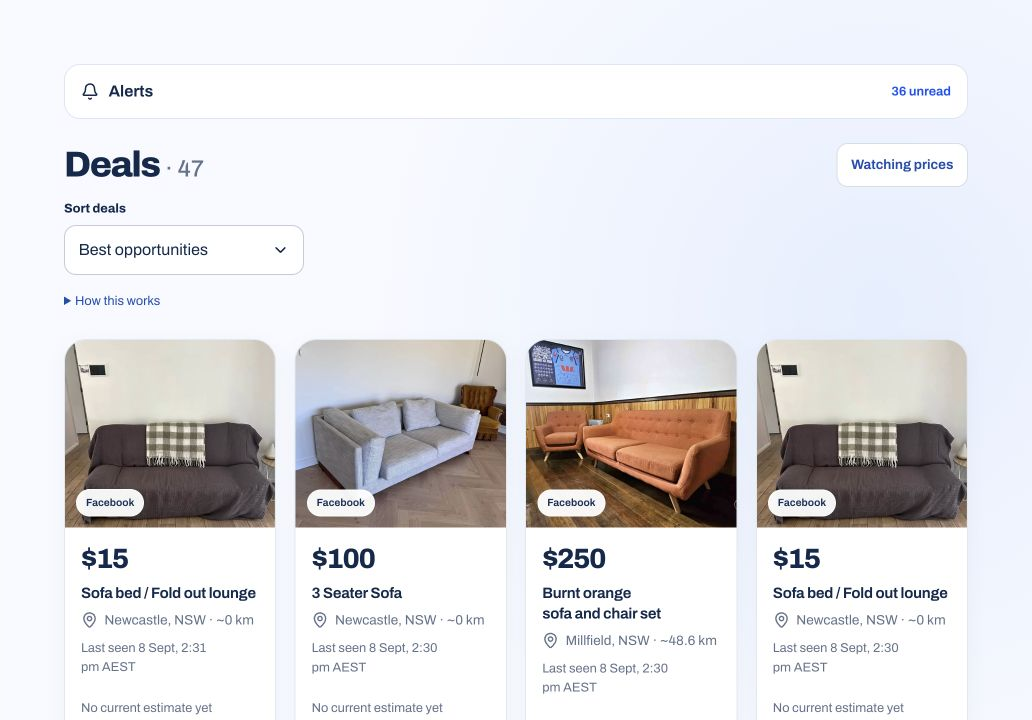
Read the time and location
Last seen is when First Flip observed the listing, not when the seller posted it. The asking price or availability may have changed since then. Distance is estimated from the listed locality, not a confirmed collection address.
Review the comparison evidence
A listing can match your search without being a good buy. Open its assessment to see whether the available comparisons support an estimate.
Before buying, use the Marketplace listing checklist to check the item, condition, collection plan and missing details.